
Free · open source
Automate your screen colors for every game and app. Plus, a powerful remote.
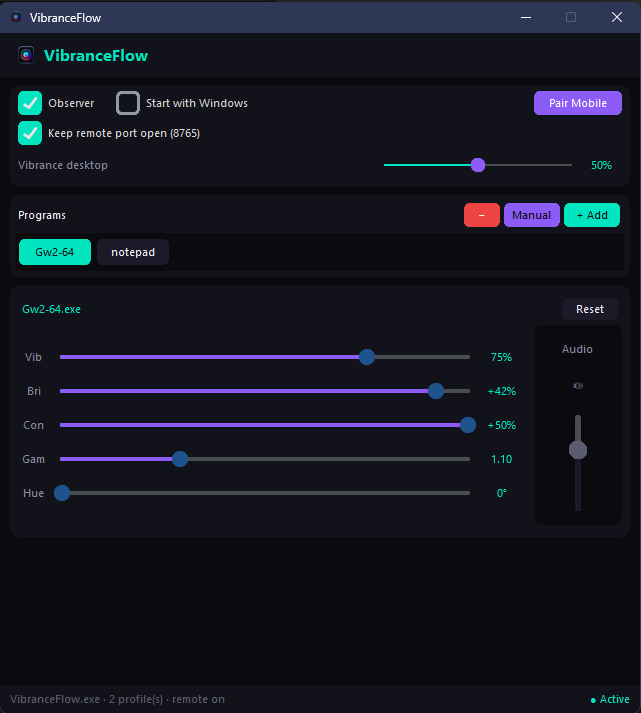
VibranceFlow automatically switches your PC's vibrance, brightness, and color profiles the moment you focus on a specific game or program. No more juggling settings.
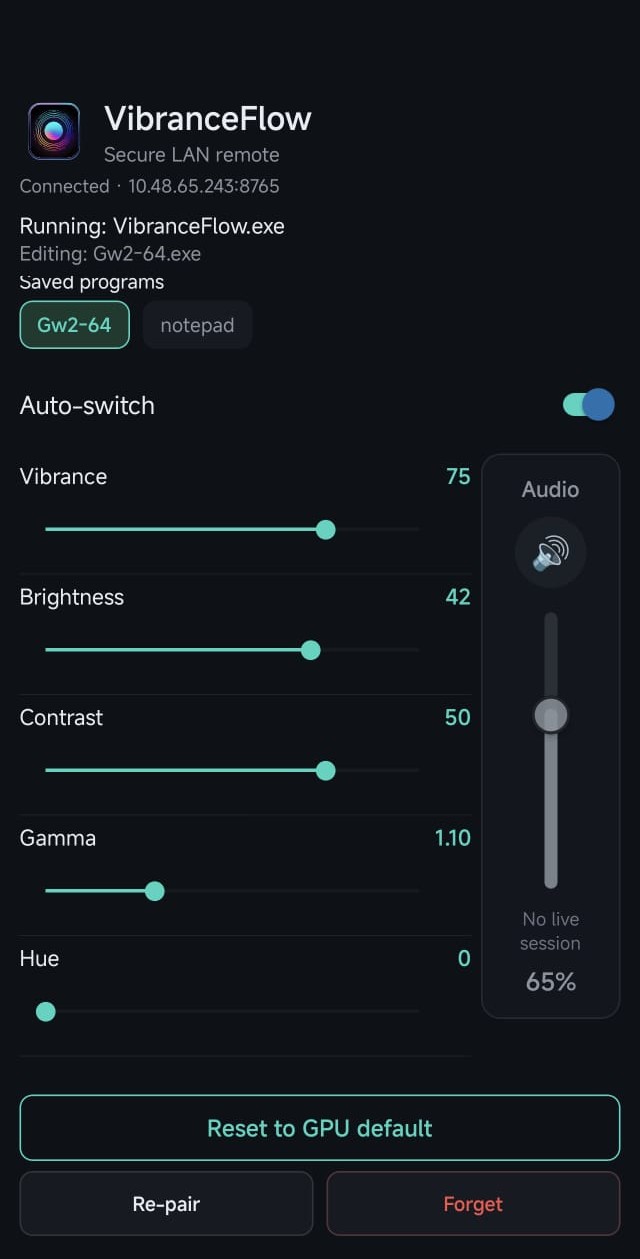
Want manual control? The optional Android companion turns your phone into a LAN remote to tweak screen colors and background audio (like Spotify) without ever Alt-Tabbing.
🎮 Gamers: Adjust contrast and gamma in-game. Control background music volume remotely.
🎨 Designers & Editors: Easily alter saturation to test visual accessibility.
📺 Casual Users: Control your PC's screen brightness, tone, and volume from the couch.
🎥 Streamers: Change display color profiles dynamically without leaking settings on stream.
Windows SHA-256 Loading checksum...
Android SHA-256 (Universal) Loading checksum...
Security check: Compare the downloaded file hash with the official signature above to ensure it is safe.
-
Per-app profiles - pick a running process or any
.exe; switches when that window is in focus - Open source & privacy-minded - no cloud account; LAN-only control with encrypted payloads (Fernet)
- Android remote - sliders, program list, observer, reset, and per-app audio when the PC sees a live session
- Firewall tip - allow VibranceFlow on private networks; WebSocket uses port 8765
- Roadmap - Linux & iOS clients in development
Quick start
Windows: run VibranceFlow.exe. If SmartScreen appears, use More info and only continue for builds from the official GitHub release.
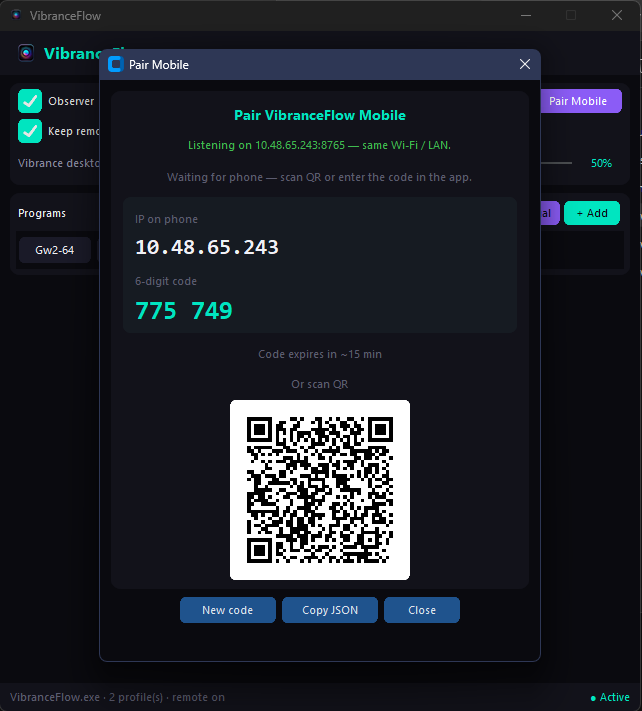
Add games or apps, tune sliders, then open Pair Mobile.
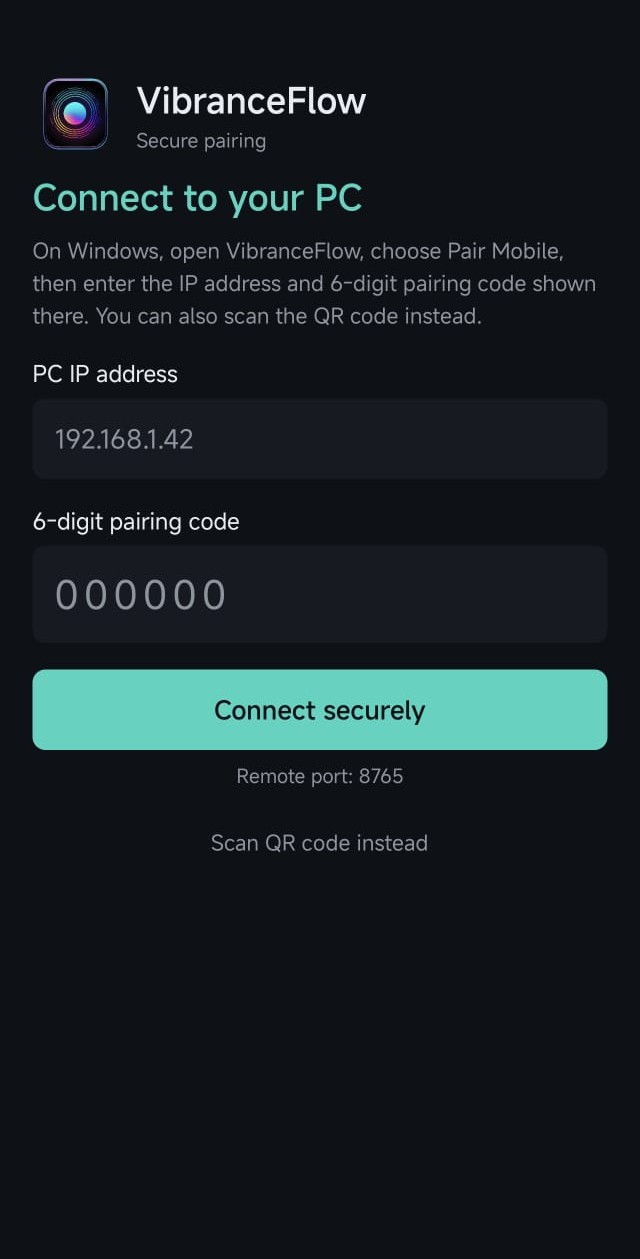
Android: install the APK, stay on the same Wi-Fi as the PC, then pair via QR (recommended) or IP + 6-digit code. Sideload warnings are normal outside the Play Store.
Support the project
Donations help with code-signing, store publishing, and more platforms.
Buy me a coffee ☕Contributors welcome
Development and packaging docs live in each repo. Issues and pull requests are welcome.
See also the full README on Core and Mobile for troubleshooting, security notes, and release pages.